Which accounting software is used in India? A guide for shop owners
Ask ten shop owners which accounting software they use and you will get ten answers, plus one register. Here is how accounting software in India really works, what the law expects from your books, and the setup we built for textile and clothing shops.

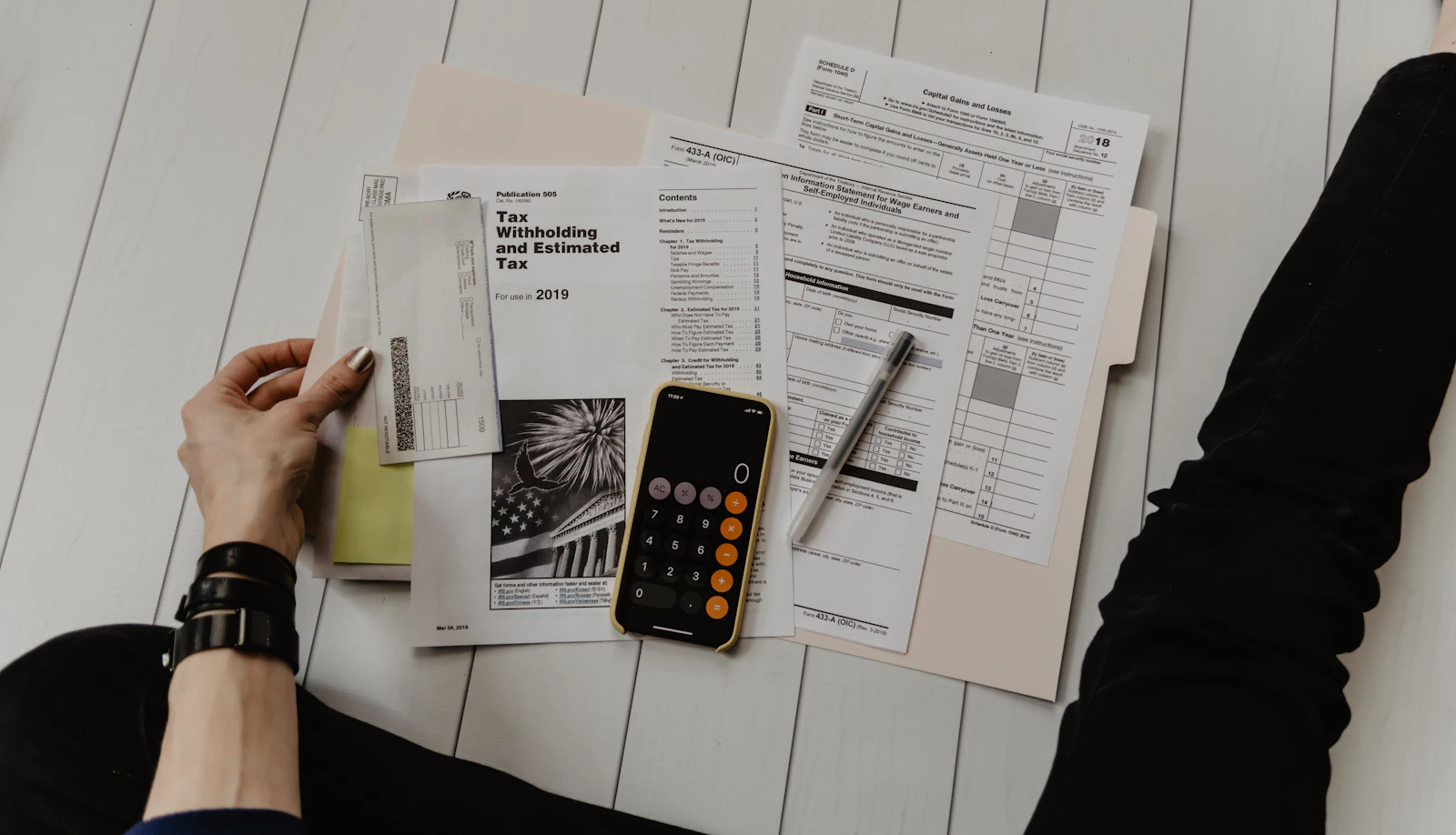
Photo: Jakub Żerdzicki on Unsplash
“Which accounting software do you use?” is one of the first questions a new CA asks a shop owner. In India the honest answer is often a mix: a bill book at the counter, a khata diary for credit customers, a calculator for GST, a WhatsApp chat with the supplier for what you owe, and a bag of papers that goes to the CA every month.
That mix works for a while. It stops working when the shop grows, when GST notices start arriving, or when you want a bank loan and the bank asks for a balance sheet you have never seen.
This guide answers the question properly. It explains the kinds of accounting software used in India, what each is good at, what Indian law expects from your books, and what a retail shop (especially a textile or clothing shop) should look for. Then it shows how Kapda Stock keeps a shop’s accounts as a side effect of billing, so the books are ready without anyone sitting down to “do accounts”.
The short answer
Indian businesses use three broad kinds of accounting tools, often more than one at once:
| Kind of tool | Who usually runs it | Good at | Weak at |
|---|---|---|---|
| Desktop accounting packages | The CA or an in-house accountant | Full double-entry ledgers, statutory reports, audits | The shop counter: billing, stock by size, udhaar |
| Cloud billing and accounting apps | The owner and counter staff | Billing, stock, GST, day-to-day books on any device | Specialist audit work, which stays with the CA |
| Registers and spreadsheets | The owner, by hand | Cheap and familiar | Errors, no GST checks, no backup, no reports |
For most small and mid-sized retailers the setup that works is the second kind at the shop and the first kind at the CA’s office, with a clean handover between them. The shop records every sale, purchase, payment and expense once, in an app built for the counter. The CA gets a ready file each month and keeps the full ledgers. Nobody types the same bill twice.
What “accounting” means for a shop
Accounting textbooks start with journals and ledgers. A shop owner starts with simpler questions, and good software answers those first:
- How much cash should be in the drawer tonight? That is the day book.
- Who owes me money, and since when? That is the customer ledger, the khata.
- Whom do I owe, and when is it due? That is the supplier ledger.
- What is my stock worth? That is inventory valuation.
- How much GST did I collect this month? That is the GST output summary.
- Did I actually make money? That is the profit and loss account.
- What does the business own and owe overall? That is the balance sheet.
Notice that six of those seven come straight out of billing. If your billing and your accounting live in different places, someone has to copy one into the other, and that copying is where most mistakes in small-business books come from.
What Indian law expects from your books
You don’t need to know every section by heart, but four rules shape what your accounting software must do.
GST: keep the records, and keep them for six years
Every GST-registered business must keep true and correct accounts of its sales, purchases, stock, input tax credit and output tax at its principal place of business. Those records must be kept for 72 months from the due date of the annual return for that year, which in practice is about six and a half years. Software that loses data when a phone breaks does not meet that standard. Kapda Stock backs up every night to your own Google Drive, so the records are kept in a place you control. See how backups work.
Invoices must carry the right details
A GST tax invoice needs your name, address and GSTIN, a unique serial number for the financial year, the date, the customer’s GSTIN for a business sale, the HSN code, the taxable value and the tax split into CGST and SGST or IGST. Getting this right by hand on every bill is tiring. Getting it right in software means setting each product’s HSN code and GST rate once.
Corrections leave a trail
An issued invoice should not be quietly edited. If goods come back or a bill was wrong, the correction is a credit note that refers to the original. Since April 2023, companies that keep books in software must also use software with an audit trail that records every change. Sole proprietors and partnerships are not bound by that company rule, but the principle is sound for everyone. In Kapda Stock an issued invoice cannot be edited at all, returns always go through numbered credit notes, and financial records are never permanently deleted.
The year runs April to March
Indian books follow the financial year from 1 April to 31 March. GST returns run monthly, or quarterly under the QRMP scheme for smaller businesses. Income tax rules also require proper books once your turnover or income crosses certain limits, which your CA can confirm for your business. Your software should think in Indian years and Indian dates (DD/MM/YYYY), not American ones.
Why a retail shop outgrows the register
The register is not the enemy. It is just slow, and it can’t warn you. Here is where it usually breaks for a textile or clothing shop:
- GST mistakes reach the CA, not the counter. A wrong GSTIN or a missing HSN code is found at filing time, when fixing it means calling the customer back weeks later.
- Udhaar slips. A payment written in the diary but not against the right bill leads to disputes. Our article on never chasing udhaar again is about exactly this.
- Stock and accounts disagree. The register says you bought 40 pieces; the shelf has 31; nobody knows whether nine were sold, returned or lost.
- Profit is a guess. Without the cost of goods sold matched to sales, “we did ₹6 lakh this month” says nothing about whether you made money.
- One bad day erases the year. A fire, a flood or a spilt bottle of water can take the only copy of your books with it.
What to look for in accounting software for a shop
Before you pay for anything, run through this list. The questions are ordered by how often they come up at a real shop.
| Question | Why it matters | In Kapda Stock |
|---|---|---|
| Do bills post to the books automatically? | No double entry by hand, no copying errors | Yes: every sale, payment, return and expense |
| Is GST calculated per product, with CGST/SGST or IGST? | Correct tax on every bill | Yes |
| Is there a cash day book? | Tells you what should be in the drawer | Yes, closed automatically every night |
| Customer and supplier ledgers? | Udhaar and payables in one place | Yes |
| P&L and balance sheet on demand? | Know your profit; show the bank | Yes, as PDF |
| Can the CA get a clean file? | Saves fees and back-and-forth | Yes: CA pack and voucher export |
| Does it work on a phone? | Owners are rarely at a desk | Yes, and installs like an app |
| Is data backed up off-site? | Records must survive six years | Yes, nightly to your Google Drive |
How Kapda Stock keeps a shop’s accounts
Kapda Stock is billing, stock and accounts software made for textile and clothing businesses in India. The idea behind its accounts is simple: the shop already records everything at the counter, so the books should build themselves from those records. Here is what you get.
A day book that writes itself
Every cash sale, cash payment from a customer, payment to a supplier, expense and owner drawing lands in the day book on its own. You see the opening balance, cash in, cash out and the closing balance that should be in the drawer. Each day closes automatically at 11:55 PM, and you can export any period as a PDF or Excel file. UPI and card payments are kept out of the cash book, as they should be, but they still appear in your sales and ledgers.
Expenses in the right place
Record an expense with its head and amount. Freight, carriage inward, wages and packing are direct expenses and reduce gross profit. Rent, salaries, electricity, transport and marketing are indirect and reduce net profit. Owner drawings are kept separate and never counted as a business expense, a mistake that hand-kept books make all the time. The finance overview covers cash and bank accounts, transfers and reserves too.
Profit and loss you can trust
Pick any month or financial year and the P&L shows the trading account and the profit and loss account: sales, returns, cost of goods sold, direct and indirect expenses, gross profit and net profit, each with its margin. A profit-by-product table shows which items earn money and which only make turnover. Download it as a PDF formatted the way CAs expect.

Balance sheet and trial balance
The balance sheet is live: cash from the day book, what customers owe you, stock valued at FIFO cost, what you owe suppliers, loans and capital. Enter your capital and loans once when you start, and the sheet stays current. The trial balance lists the same ledgers in debit and credit columns. Both download as PDFs, which is what a bank asks for when you apply for a working-capital loan.
Month-end and year-end, done properly
Once your CA has reviewed a month, close it. Closing locks that month, so nobody can backdate an expense or a cash entry into figures that have already been filed. At the end of March, close the financial year: the app records the year’s net profit and carries the closing equity forward as next year’s opening balance.
GST without the month-end panic
GST is where small-shop accounting hurts most, and where software saves the most time. Kapda Stock calculates CGST, SGST or IGST on every bill from the product’s rate and the customer’s state. The GST output report shows the tax you collected in any period, rate by rate.
At month-end, the GST & Compliance screen does what a careful accountant would do before filing. It checks for customer GSTINs that are not valid numbers, lines sold without an HSN code, tax type that doesn’t match the customer’s state, taxable bills with no GST, and large sales recorded without a GSTIN. It shows the HSN summary for table 12 of GSTR-1 and the B2B list your buyers will match in their GSTR-2B. Then Download the CA pack gives your CA one workbook with everything. When the CA files, you record the ARN, so you always know what was filed and for which month. The GST returns guide explains every check, and our article on GST compliance on autopilot shows the routine shops follow.
HSN & GST Rate Chart for Textile Shops
One printable sheet with every code and rate in this finder — keep it at the billing counter.
- Every textile product in the finder with its HSN code
- Alternative codes by fibre, weight and knitted / woven
- 5% vs 18% rule and the ₹2,500 per-piece limit explained
- Print it or save as PDF for the counter
One thing Kapda Stock deliberately does not do is file returns for you, or generate e-invoices and e-way bills. Returns are filed by you or your CA on the GST portal, and e-invoices and e-way bills are made on the government portals. The app’s job is to make sure the numbers you hand over are right.
Working with your CA, not around them
Good accounting software for a shop doesn’t try to replace the CA. It makes the CA’s work faster and cheaper. Many CAs in India keep their clients’ full double-entry ledgers in desktop accounting software. Kapda Stock fits into that: export your vouchers for your CA as an XML file in the import format of the desktop accounting package most Indian CAs use. Each invoice becomes a sales voucher with its GST ledgers, and each expense becomes a payment voucher. Your CA maps the ledger names once, and from then on each month is one import.
You can also give your CA or accountant their own login. With roles and module access, they can see Finance and GST without being able to bill at the counter, and your counter staff can bill without seeing your profit and loss.
Why textile and clothing shops need more than generic accounting
General accounting software treats stock as a single number. For a cloth or garment shop, stock is the largest asset on the balance sheet and the hardest to count: thaans by the metre, readymade pieces by size and colour, sarees by design. If stock is wrong, the balance sheet is wrong, and so is every profit figure built on it.
Kapda Stock counts stock the way textile shops sell it, and values it at FIFO cost in the inventory valuation report. Purchase orders and goods receipts from your suppliers raise stock and payables in the same step. The HSN codes and GST rates for textiles (5% on fabric, 5% or 18% on garments depending on the ₹2,500 line) are set once per product. If you run a garment counter, our guide to billing software for readymade garments covers the counter side in detail.
A month of shop accounts, step by step
Software only helps if it fits a routine. This is the rhythm we see working in textile shops that keep their books in Kapda Stock. None of it takes more than a few minutes on the day.
| When | What to do | Where |
|---|---|---|
| Every evening | Count the cash drawer and compare it with the day book’s closing balance | Day book |
| Every evening | Add the day’s expenses: freight, tea, packing, the electrician | Finance → Expenditures |
| Every week | Look at who owes you money and for how long, and follow up the oldest | Aging report |
| Every week | Pay suppliers whose credit is due, and record each payment | Suppliers |
| First week of the month | Clear the GST checks, download the CA pack and send it on | GST & Compliance |
| After the CA files | Record the ARN and close the month | GST & Compliance, Finance |
| Every quarter | Read the P&L and the profit-by-product table, and drop what doesn’t earn | P&L |
The evening cash check matters most. If the drawer and the day book agree, every other report built on them can be trusted. If they don’t, you find out the same night, while everyone still remembers which customer paid in cash and which on UPI.
Moving your accounts over
The best time to switch is the start of a month, and the cleanest is the start of a financial year, but any month works. A typical switch looks like this:
- [Sign up](/signup) and fill in your shop details and GSTIN.
- Load your products with HSN codes, GST rates and purchase costs, by spreadsheet if you have many.
- Enter opening balances: capital and loans in Finance, what each credit customer owes, and what you owe each supplier.
- Add your cash and bank accounts with their opening balances.
- Start billing. From the first sale, the day book, ledgers and P&L build themselves.
- Send your CA the first month’s pack and agree the export format for their software.
Our 30-day switching plan breaks this into weekly steps so the counter keeps running throughout.
On price: Kapda Stock’s Growth plan is ₹349 a month or ₹3,499 a year, and Professional is ₹599 a month or ₹5,999 a year, before 18% GST. The accounts, GST and CA-export features in this article are in every plan. See the pricing page for limits on team members, products and invoices.
Frequently asked questions
Which accounting software is most used in India?
Most Indian businesses use a mix: CAs typically keep full ledgers in desktop accounting packages, while shops increasingly use cloud billing and accounting apps at the counter. For textile and clothing retailers, Kapda Stock handles billing, stock, GST and the day-to-day books, and exports vouchers for the CA’s desktop software.
Do small shops in India need accounting software?
Not by law, but a GST-registered shop must keep accurate records of sales, purchases, stock and tax for about six years, and that is hard to do reliably on paper. Software that builds the books from your bills removes copying mistakes, keeps backups and gives your CA a clean file every month.
Can billing software also do my accounts?
Good billing software can. In Kapda Stock every sale, payment, return and expense posts to the books automatically, producing a cash day book, customer and supplier ledgers, profit and loss, a balance sheet and a trial balance, all downloadable as PDFs for your CA or bank.
Does Kapda Stock file GST returns?
No. Kapda Stock calculates GST on every bill, checks the month for common mistakes, prepares the HSN summary and B2B list, and exports a CA pack. Your CA files GSTR-1 and GSTR-3B on the GST portal, and you record the ARN in the app so you know what was filed.
Can my CA use their own accounting software with Kapda Stock?
Yes. Kapda Stock exports sales and expense vouchers for any period as an XML file in the import format of the desktop accounting package most Indian CAs use, with GST ledgers included. Your CA maps the ledger names once, then imports each month in one step.
See it working in your own shop
Set up a workspace in under a minute, or read the step-by-step guides in the docs.